Business
How Adobe Firefly Fits Into a Modern Creative Workflow
Most creative projects do not stall out because of a lack of good ideas.

They slow down in the gap between having a clear concept in your head and turning that vision into usable visual assets. You might know the exact lighting mood, color temperature, and camera angle a campaign needs, but piecing it together through stock photo searches and manual mockups can eat up half your project timeline before you even show a first draft to the client.
Some of our links may be affiliate links and if you buy through our link, we might generate some commissions.
When generative AI first arrived, it looked like a shortcut, yet most tools felt disconnected from how designers actually work. Typing random words into a chat box and hoping for a lucky image rarely works when you have strict brand guidelines, specific layout dimensions, and commercial copyright rules to follow.
Adobe Firefly changes that dynamic because it is built around visual art direction rather than prompt gambling. Instead of relying on trial and error, Firefly gives you tactile controls for composition, style, lighting, and aspect ratios right inside a dedicated workspace. From building your first pitch board to exporting multi-size campaign visuals, here is how Adobe Firefly fits into a modern creative workflow.
Discover Adobe's suite of products.
Faster Moodboarding Without the Stock Photo Hunt
At the start of a project, your main goal is getting visual buy-in from your team or client. Traditionally, that meant spending hours scrolling through stock libraries to find photos that were merely "close enough" to your idea.
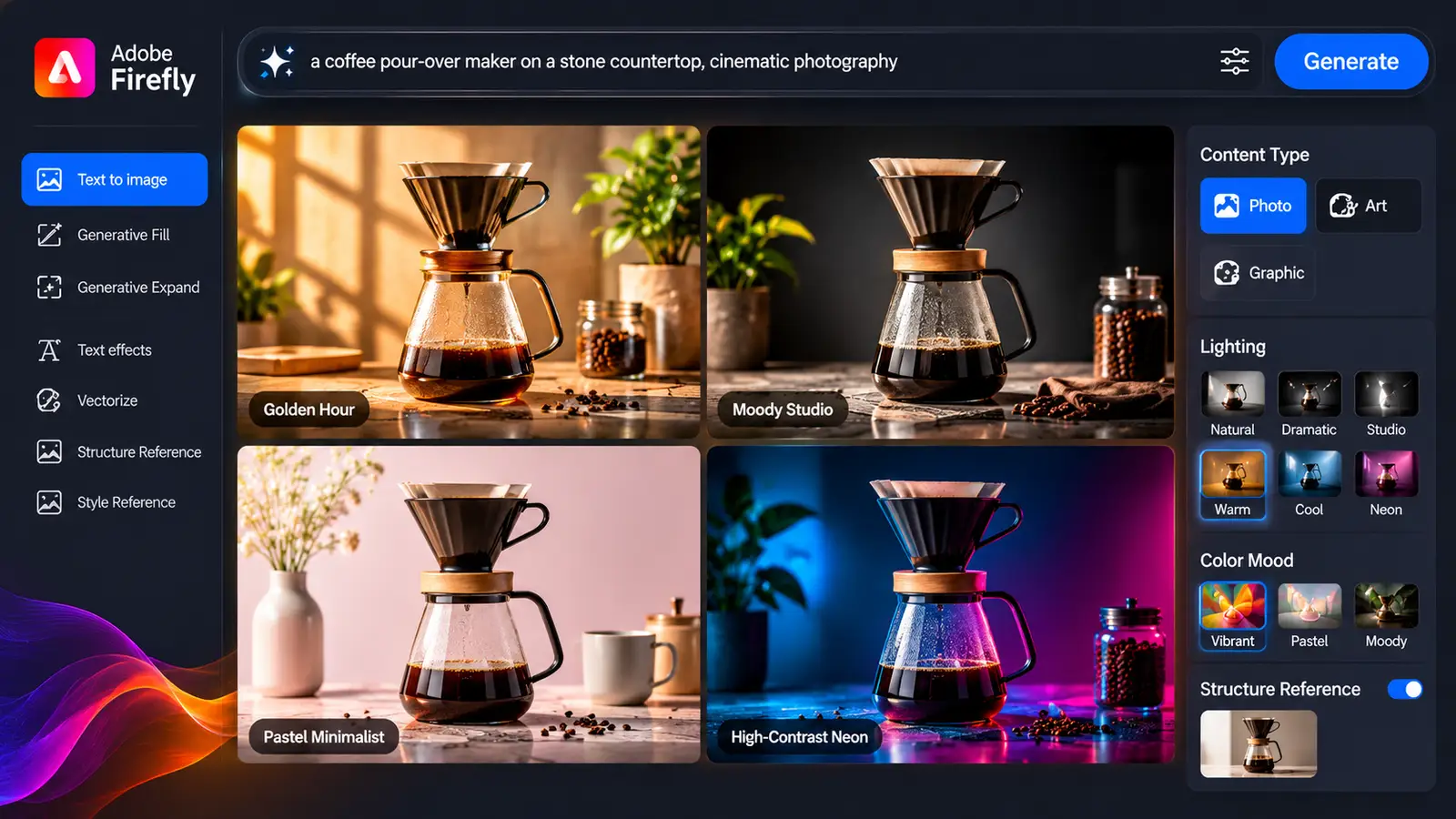
Inside the Adobe Firefly workspace, you can build custom concept boards in minutes using Text to Image paired with built-in camera and style controls:
- Dialing in the Medium: Toggle the Content Type between Photo (for natural lens depth and realistic textures) and Art (for stylized illustrations or painterly textures) instead of writing long prompts.
- Directing the Camera and Light: Lock in specific lighting like golden hour or studio softboxes alongside camera angles such as macro close-ups, wide shots, or low-angle perspectives.
- Testing Color Harmonies Early: Switch color and tone presets between warm, muted, pastel, or monochromatic palettes in one click to present distinct art directions fast.
Locking Down Layout and Brand Consistency
Getting one great image from an AI tool is easy. Getting ten different images that look like they belong to the same brand campaign—while leaving room for your headlines and logos—is where most generative workflows fall apart.
Firefly bridges the gap between rough ideation and structured design through two core features: Structure Reference and Style Reference.
Discover Adobe's suite of products.
Controlling Composition with Structure Reference
When you already have a layout in mind—say, a product on the left with clean negative space on the right for ad copy—you do not want Firefly guessing where things should go. By uploading a rough black-and-white wireframe sketch or a basic shape layout into Structure Reference, you guide Firefly to wrap its generated lighting and textures around your exact geometry. You can adjust the strength slider to decide how strictly Firefly follows your outlines.
Keeping Campaigns Cohesive with Style Reference
Once you generate or upload an image that nails the exact mood your brand needs, you can slot it into Style Reference. Firefly analyzes the color grading, contrast, surface texture, and atmospheric mood of that reference and applies it to new prompts you run. Whether you are generating a hero background, a close-up texture, or a secondary prop shot, the assets come out looking like they came from the same photoshoot.

In-Place Refinement and Multi-Ratio Resizing
In a real production pipeline, the first render is rarely the final file. A client might love most of a visual but ask to swap out a background prop, or your media plan might require turning a single square image into a wide 1920x1080 banner, a vertical story, and a tight header.
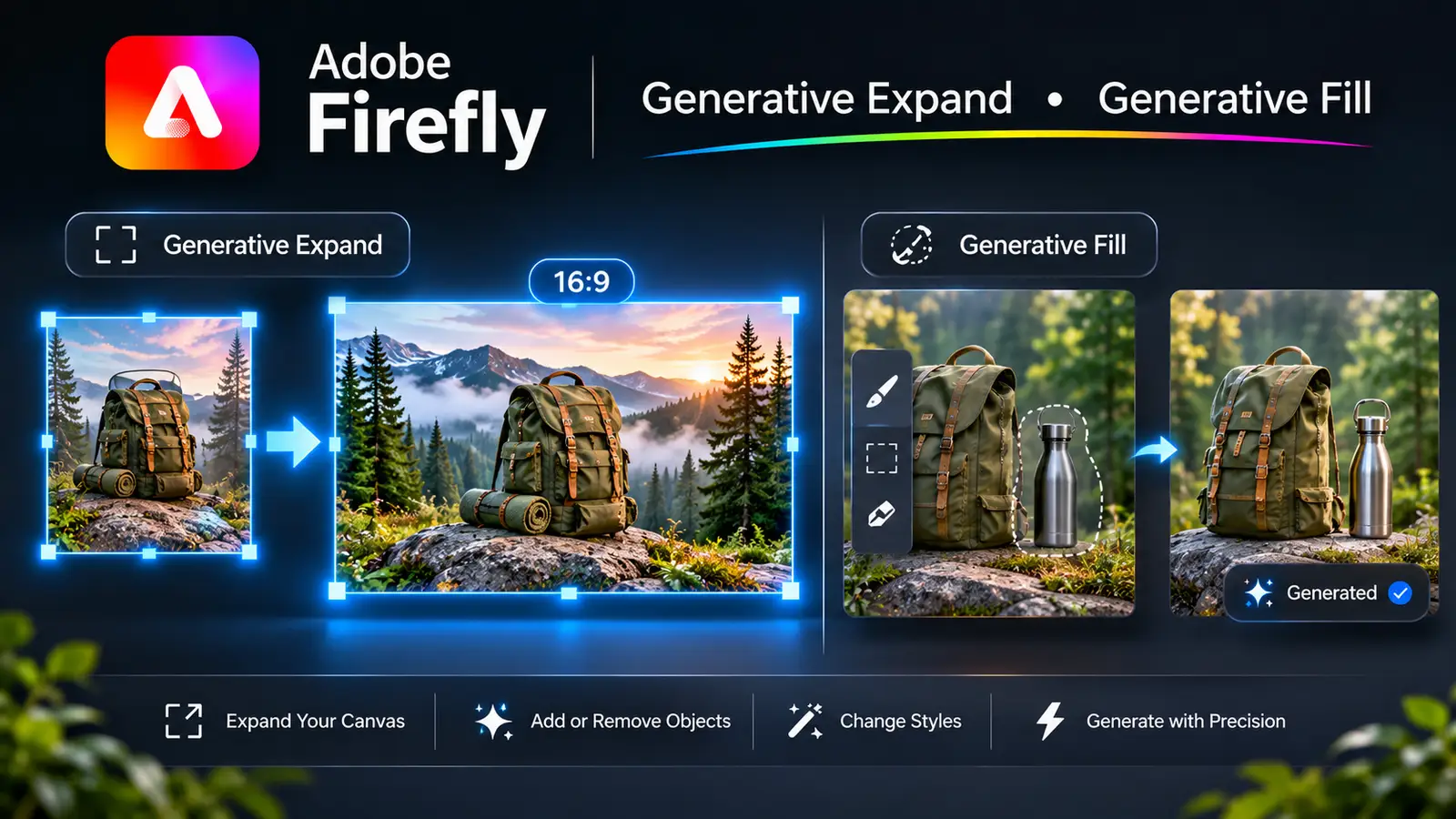
Instead of starting over, you move your image straight into Firefly’s Generative Fill workspace:
- Adding or Swapping Elements: Paint over any area with the brush tool and type a short prompt to add or replace objects while matching existing lighting and depth of field.
- Expanding Canvas Ratios: Select a target ratio (16:9, 1:1, or 9:16) in the Expand tool to extend scene edges naturally while keeping your original subject intact.
- Iterating Non-Destructively: Cycle through multiple generated variations at the bottom of the screen to pick the cleanest background extension before downloading.
Discover Adobe's suite of products.
Extending the Workflow to Vectors, Text Effects, and Video
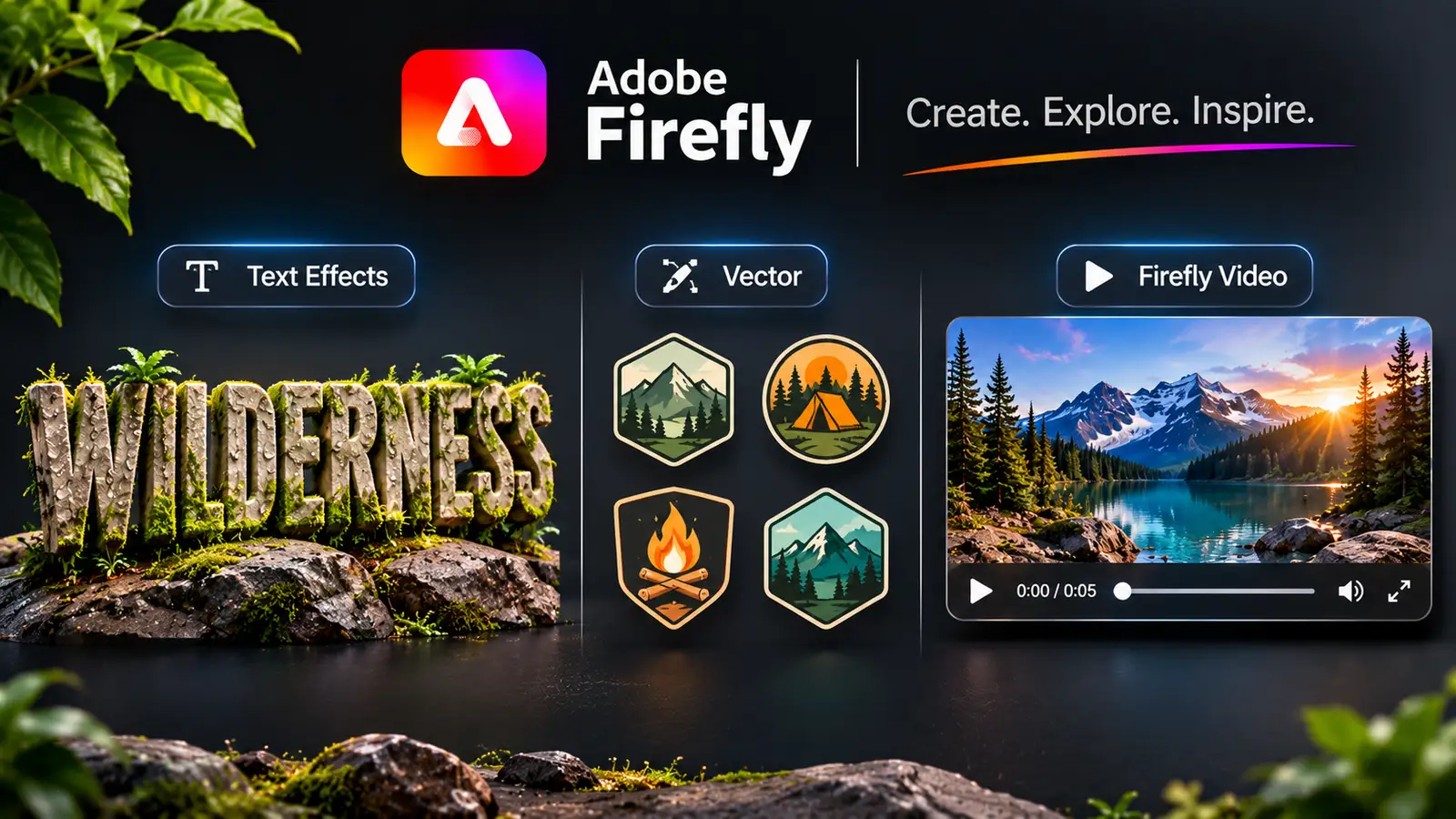
Modern brand campaigns usually need more than static photos. Rather than jumping between five unrelated AI platforms to build supporting assets, Firefly keeps those specialized formats under the same roof:
- Text to Vector Graphic: Generate clean, editable SVG icons, badges, or patterns organized into groups, and use Generative Recolor to test brand colorways in seconds.
- Firefly Text Effects: Apply realistic textures like brushed metal, foliage, neon tubing, or woven fabric directly onto live typography while keeping letters crisp.
- Firefly Video: Turn approved static images into smooth 5-second motion clips with subtle camera pans, shifting light, or atmospheric movement for social feeds.
Discover Adobe's suite of products.
Commercial Safety and Client Handoff
No matter how fast a tool is, it only fits into a professional workflow if you can confidently hand the final files to a paying client.
Many generative tools leave designers guessing whether their outputs contain scraped, copyrighted artwork. Adobe trained Firefly’s core models on licensed Adobe Stock imagery, openly licensed content, and public domain materials where copyright has expired. That means the assets you generate are designed to be commercially safe from the start.
To back that up during client delivery, Firefly automatically embeds Content Credentials into exported files. Acting like a digital nutrition label, this metadata records that the asset was created using Firefly, giving agencies and corporate brands a clear, verifiable audit trail for legal compliance.
Discover Adobe's suite of products.