Business
Adobe Firefly: A Guide to AI-Powered Creative Workflows
Creative bottlenecks rarely stem from a lack of vision.
They happen in the mechanical production steps between an approved direction and final asset handoff: hunting through stock libraries for images that never quite match, manually masking complex backgrounds, redrawing vector assets, and reformatting a single creative into multiple banner aspect ratios.
Some of our links may be affiliate links and if you buy through our link, we might generate some commissions.
Early generative AI tools promised speed, but isolated web generators often complicated professional pipelines. Standalone tools with legal ambiguities, unpredictable prompt outputs, and no connection to production layers added more friction than they resolved.
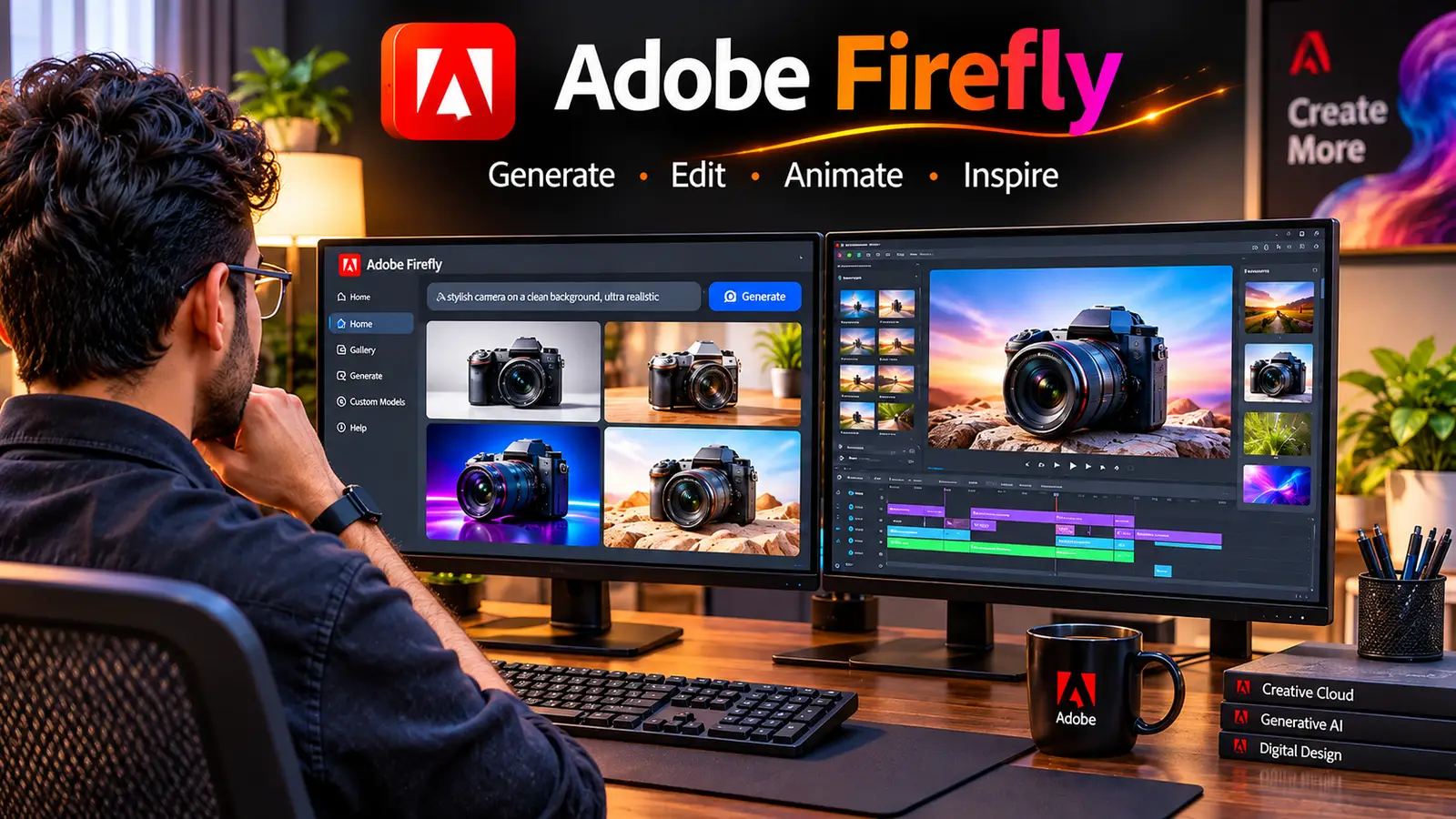
Adobe Firefly addresses this challenge by functioning as an integrated generative engine embedded directly within creative production environments. Built with commercially cleared models and precise input controls, Firefly bridges concept exploration and production asset delivery. Here is a practical guide to integrating Firefly into a modern, multi-format creative workflow.
Discover Adobe's suite of products.
Reframing the Pipeline: From Static Prompts to Visual Direction
Traditional asset generation typically follows a linear path: brief, reference gathering, production, review, and rework. If an asset drifts off-brand mid-pipeline, teams often restart the entire process.
Firefly shifts this model toward iterative visual direction. Rather than relying on descriptive text prompts alone, the platform incorporates direct layout and style controls:
- Commercial Provenance: Built specifically for commercial safety, Firefly models train on licensed Adobe Stock and public domain content. This gives commercial studios legal confidence and enterprise indemnification.
- Infinite Canvas Ideation: Tools like Firefly Boards enable teams to place rough sketches, color swatches, and prompt iterations on an expansive canvas, establishing alignment before final asset production.
- Native Application Integration: Generative capabilities operate directly inside Photoshop, Illustrator, Premiere Pro, and Adobe Express, avoiding disconnected export-import cycles.
Early Concepting and Rapid Visual Exploration
Every project begins with visual alignment. Before building detailed production comps, creative teams must establish mood, tone, and lighting with stakeholders. Stock searches often deliver compromise assets that require extensive explanation during pitch meetings.
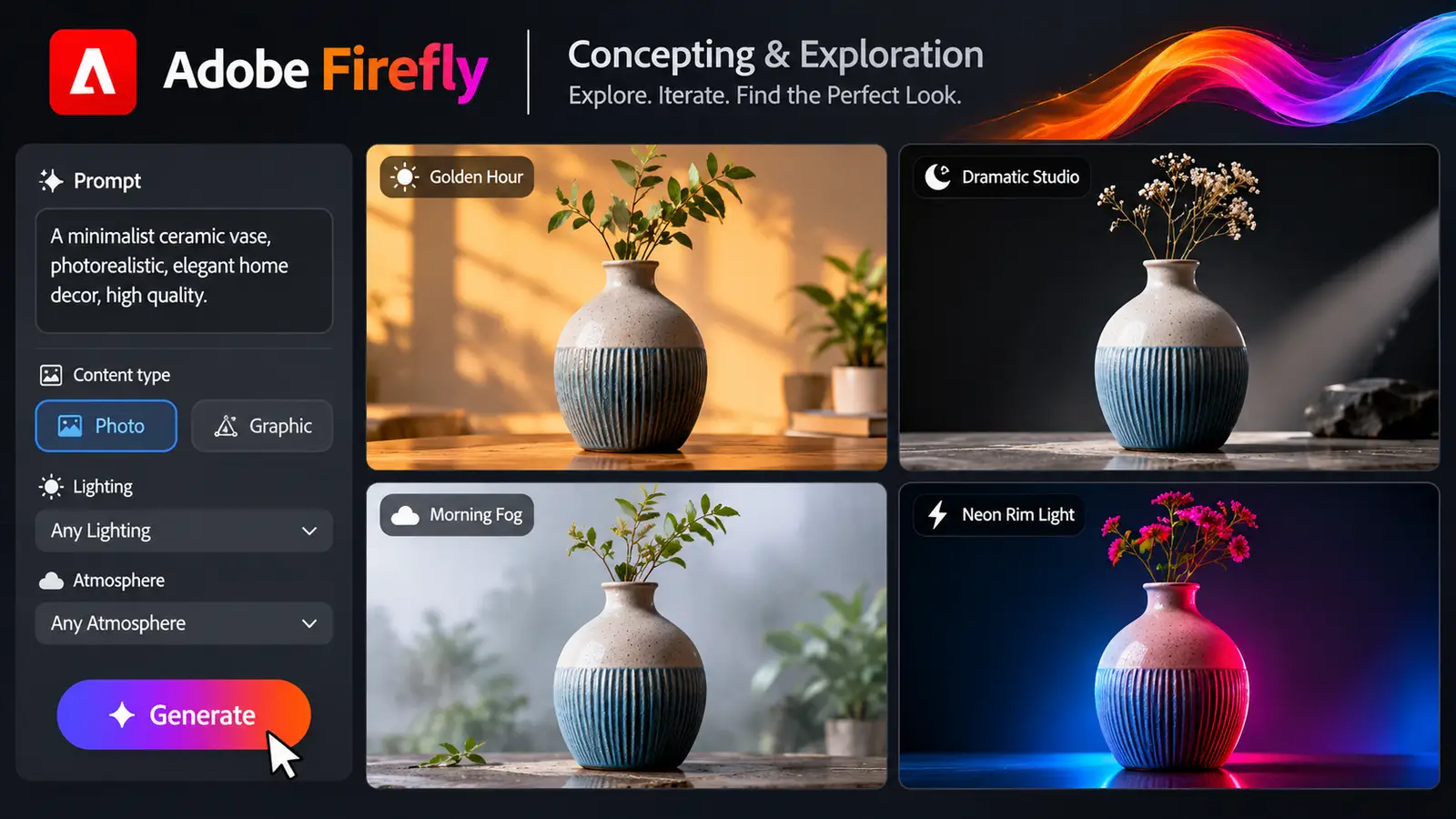
Within Firefly’s Text to Image workspace, designers can generate tailored concept visuals in minutes:
- Content Type Selection: Select Photo to prioritize accurate depth of field, surface textures, and natural camera physics, or switch to Art for vector aesthetics, linework, and illustrative styles.
- Direct Camera Controls: Establish lens perspectives—such as wide environmental shots, top-down flat lays, or macro close-ups—without relying on descriptive prompt modifiers.
- Lighting and Atmosphere Presets: Adjust lighting conditions directly, toggling between studio softboxes, harsh sunlight, dramatic backlighting, or neon color casts.
Testing visual directions early allows designers to present distinct creative routes quickly while preserving full fidelity for client presentations.
Discover Adobe's suite of products.
Ensuring Asset Cohesion With Reference Modules
Generating a single compelling image is straightforward, but maintaining aesthetic consistency across ten related assets is a persistent challenge in AI generation. If visual elements drift between frames, campaign cohesion breaks down.
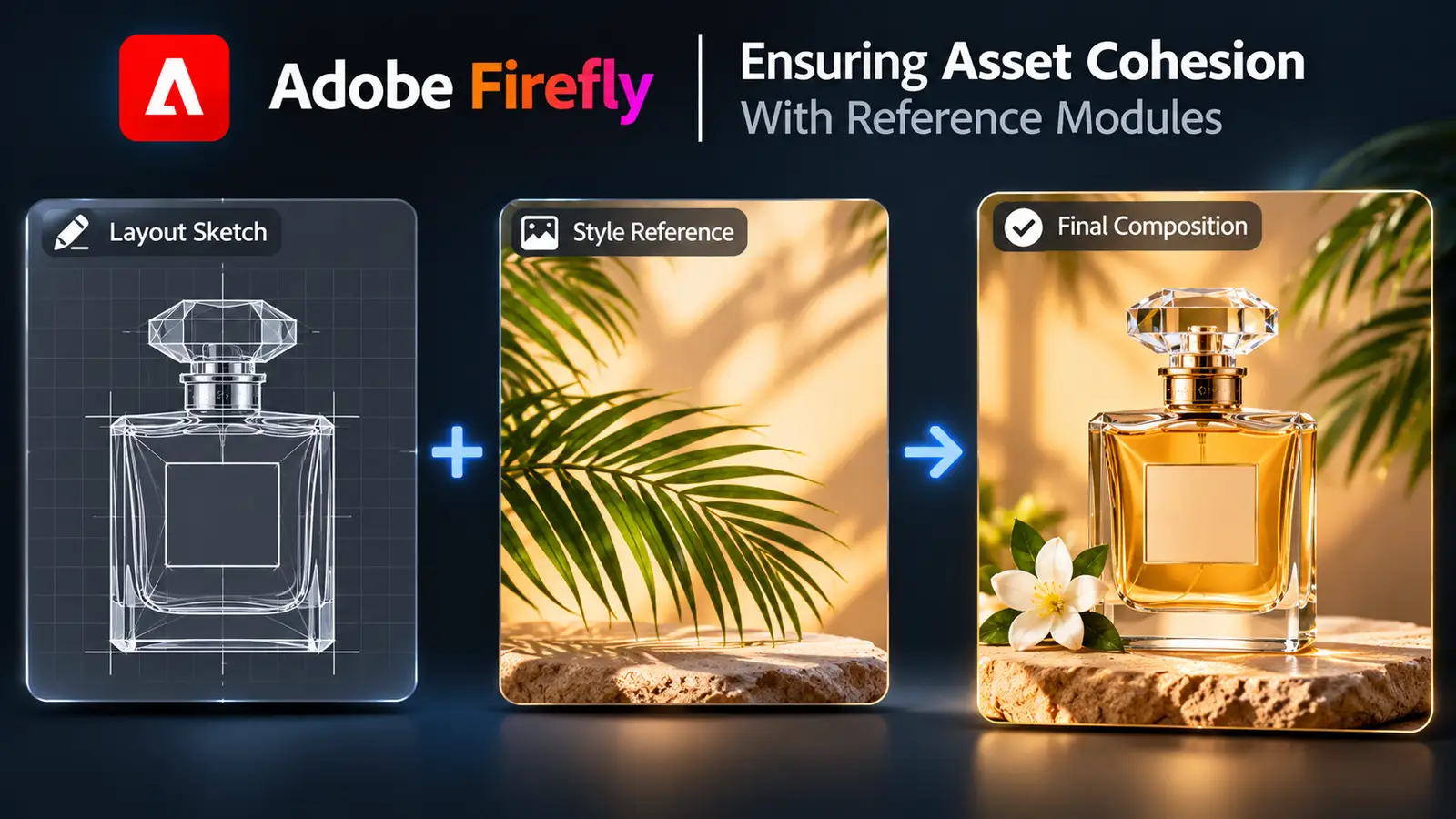
Firefly resolves this using two primary reference engines: Structure Reference and Style Reference.
Structure Reference for Compositional Precision
When a design requires strict spatial discipline—such as leaving negative space for marketing copy, headlines, or user interface components—text prompts alone lack sufficient control. By uploading a wireframe, rough sketch, or 3D block-out into Structure Reference, Firefly forces the generated lighting and textures to adhere to the designated geometry. Adjusting the reference strength slider dictates whether the engine follows the lines strictly or interprets the forms loosely.
Style Reference for Unified Visual Language
Once a hero image is approved, upload it into Style Reference. Firefly extracts the palette, contrast curve, film grain, and lighting mood, transferring those parameters to new generations. Whether producing hero banners, detail textures, or lifestyle shots, every asset maintains a cohesive look and feel.
In-Place Refinement and Multi-Format Adaptation
Campaign production rarely ends with a single aspect ratio. Deliverables often require horizontal web banners (16:9), vertical mobile placements (9:16), standard square social cards (1:1), and display headers. Manually rebuilding backgrounds across these dimensions requires significant production time.
Firefly’s refinement tools operate directly on image assets without compromising base layers:
- Canvas Expansion via Generative Expand: Expand canvas boundaries outward to transform a square asset into a widescreen landscape or vertical story format. Firefly synthesizes contextual background details to fill the canvas naturally.
- Selective Modification via Generative Fill: Select any region with a brush tool to add, alter, or remove objects. The engine automatically matches the lighting, grain, perspective, and shadow behavior of the base asset.
- Iterative Variations: Every fill and expand operation generates multiple selectable variations, allowing designers to review alternate backgrounds before finalizing files.
Because these operations generate isolated elements and adjustment layers, base pixels remain intact for ongoing revisions.
Discover Adobe's suite of products.

Scaling Assets Across Vectors, Typography, and Motion
Comprehensive marketing campaigns extend beyond photography into vector design, custom typography, and short-form video. Firefly consolidates these asset workflows within a single generative framework.
Scalable Assets via Text to Vector Graphic
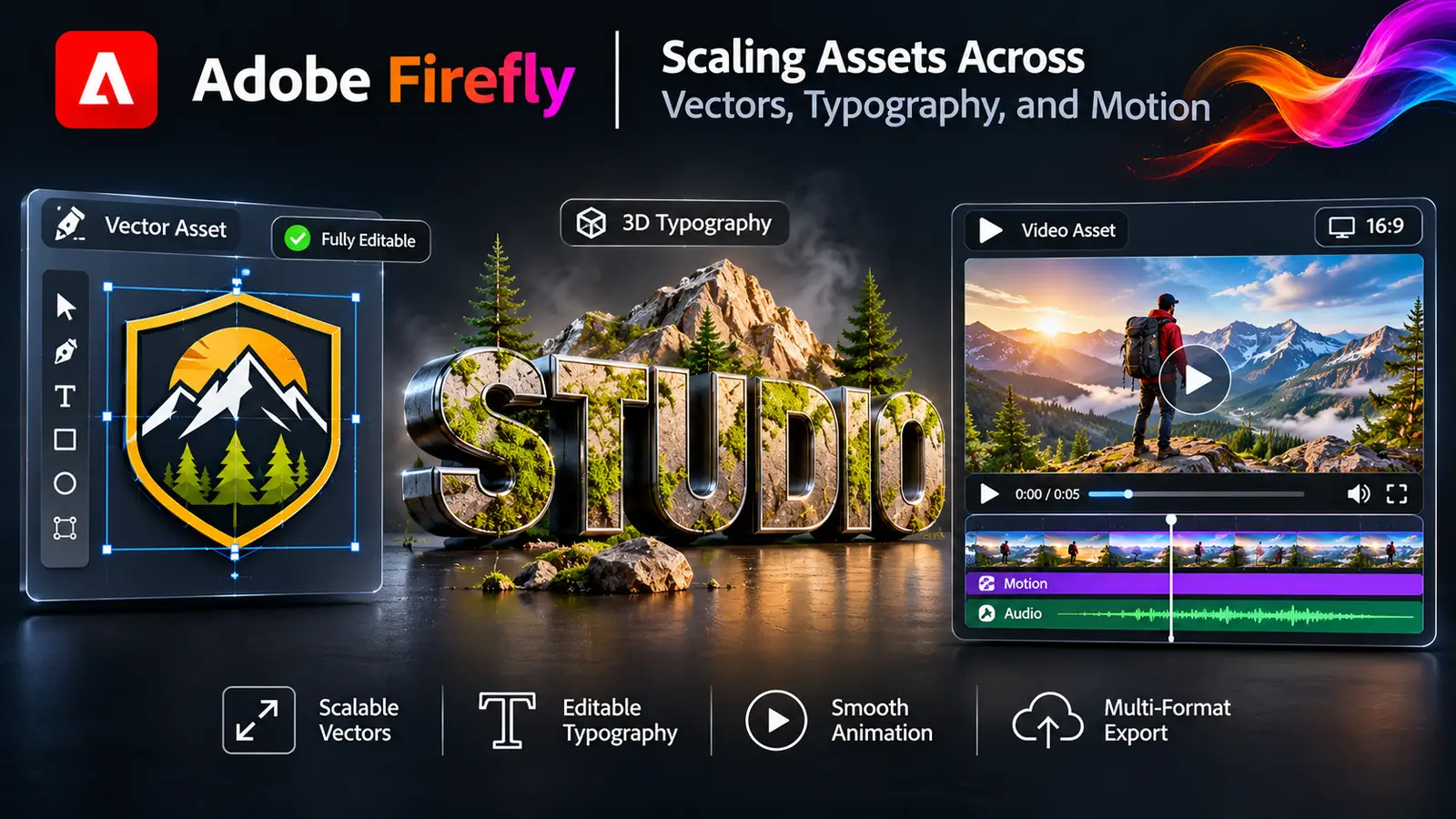
Unlike raster generation tools that output fixed pixel dimensions, Firefly’s vector module produces layered, editable SVG artwork:
- Icons and Spot Graphics: Generate scalable symbols, badges, and brand illustrations with clean anchor points and grouped paths.
- Repeating Patterns: Create seamless vector patterns for print packaging, merchandise, or web backgrounds.
- Palette Iteration with Generative Recolor: Apply descriptive prompts (such as "desert terracotta" or "cool slate") to update colorways across complex vector artwork instantly.
Typographic Styling with Firefly Text Effects
For campaign titles and marketing headers, Firefly Text Effects wraps standard fonts in bespoke 3D textures—ranging from brushed metals to organic foliage—while maintaining the underlying legibility of the letterforms.
Motion Production via the Firefly Video Model
To adapt static assets for video timelines, Firefly's video engine supports motion generation:
- Text to Video: Generate five-second atmospheric b-roll clips, establish cinematic backdrops, or produce custom transitions directly from text prompts.
- Image to Video: Animate approved static campaign stills using controlled camera movements—such as pans, tilts, and dolly zooms—or animate environmental elements like water and mist while keeping central subjects stable.
Discover Adobe's suite of products.
Content Credentials and Responsible Commercial Handoff
In professional environments, verifying asset origin is essential. Creative agencies and enterprise brands require complete transparency regarding AI involvement in commercial production pipelines.
Adobe integrates Content Credentials directly into Firefly exports. Acting as a cryptographic digital label, Content Credentials record:
- Production timestamps and software versions used.
- Attributions indicating that generative AI contributed to the asset.
- Edits and compositing steps completed across Creative Cloud workflows.
These credentials travel with the asset upon export, providing clients and legal departments with an auditable production trail that confirms ethical sourcing and transparency.
Discover Adobe's suite of products.

Adobe Firefly establishes a balanced creative framework by streamlining repetitive, time-intensive production tasks—such as expanding canvas aspect ratios, iterating colorways, and mocking up initial visual directions. By reducing mechanical overhead, teams can dedicate more resources to core art direction, brand strategy, and refined design craft. Integrating Firefly into existing production tools allows designers to preserve their voice while scaling asset output across modern creative campaigns.