I love Sales & marketing. I am a writer by passion. I love to use content for marketing. Because content is one of the best way of marketing. In my personal life, I am a Student, Entrepreneur, Blogger, Medical Technologist, and Homeo Practitioner.
SubscribeTradingView Mobile App Review: Is It Worth It?
Trade Anytime, Anywhere with TradingView Mobile App
Introduction
In today’s fast-paced trading environment, it is not always possible to stay in front of a desktop or laptop. That’s why mobile trading apps have become essential. The TradingView mobile app is one of the most popular tools among traders, allowing you to analyze charts, monitor markets, and manage alerts directly from your smartphone. But the real question is—is it worth using? Let’s explore in detail.
Features of the Mobile App
The TradingView mobile app offers most of the essential features available on the desktop version. You can view real-time charts, apply indicators, use drawing tools, and manage your watchlist easily. Popular indicators like RSI, MACD, and Moving Averages work smoothly on mobile.
The interface is clean and user-friendly, making it suitable for both beginners and experienced traders. You can quickly switch between assets, check multiple charts, and track market movements efficiently.
Pros and Cons
✅ Pros:
- Easy to use and beginner-friendly
- Access to real-time market data
- Wide range of indicators and tools
- Alerts and push notifications
- Trade monitoring from anywhere
❌ Cons:
- Smaller screen limits detailed analysis
- Not as flexible as the desktop version
- Limited multi-chart functionality
User Experience
The user experience of the TradingView mobile app is smooth and responsive. The app loads quickly, and navigation is intuitive. Features like zooming, scrolling, and adding indicators are optimized for touch, making it easy to analyze charts on the go.
However, for long and detailed analysis, mobile can feel a bit restrictive. It is best suited for quick checks, monitoring, and managing trades rather than deep technical analysis.
Desktop vs Mobile Comparison
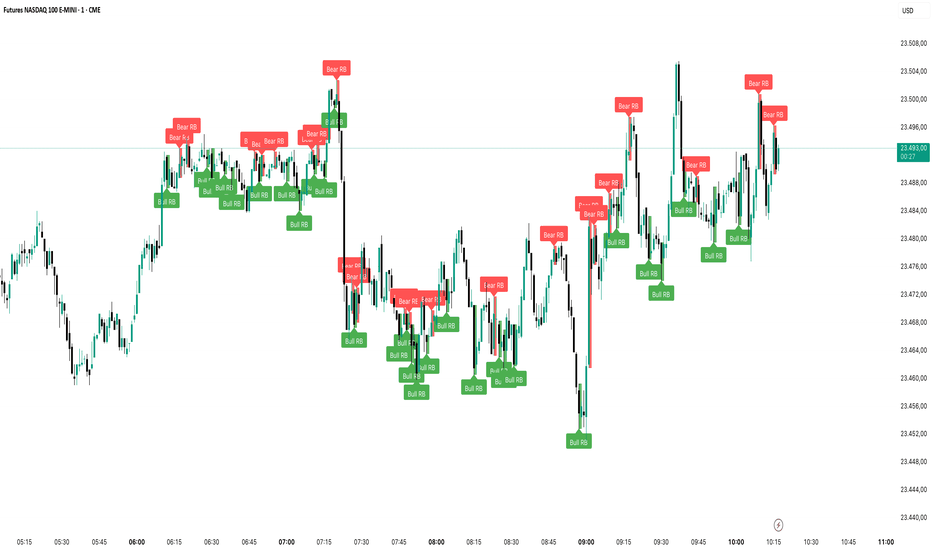
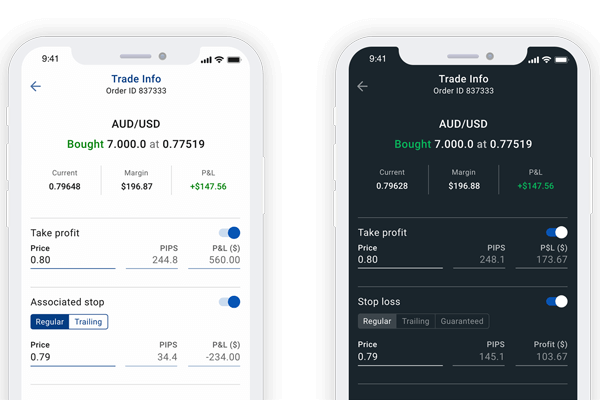
The desktop version of TradingView is more powerful, offering a larger screen, advanced tools, and better customization. On the other hand, the mobile app is designed for convenience and quick access.
👉 Desktop = Best for deep analysis and strategy building
👉 Mobile = Best for monitoring and quick decision-making
Using both together gives the best trading experience.
WRITTEN BY
Nafis IstiakI love Sales & marketing. I am a writer by passion. I love to use content for marketing. Because content is one of the best way of marketing. In my personal life, I am a Student, Entrepreneur, Blogger, Medical Technologist, and Homeo Practitioner.