Innovation & Tech
Maintain Brand Consistency at Scale Using Template Locking in Adobe Express
As brands scale and content creation becomes more collaborative, keeping visuals consistent across teams and platforms can be a challenge. With growing demands and faster turnaround times, it's easy for brand standards to slip. Adobe Express addresses this with Template Locking—a practical feature that helps teams produce on-brand content quickly and confidently, without needing constant oversight.
Some of our links may be affiliate links and if you buy through our link, we might generate some commissions.
Why Brand Consistency Matters More Than Ever
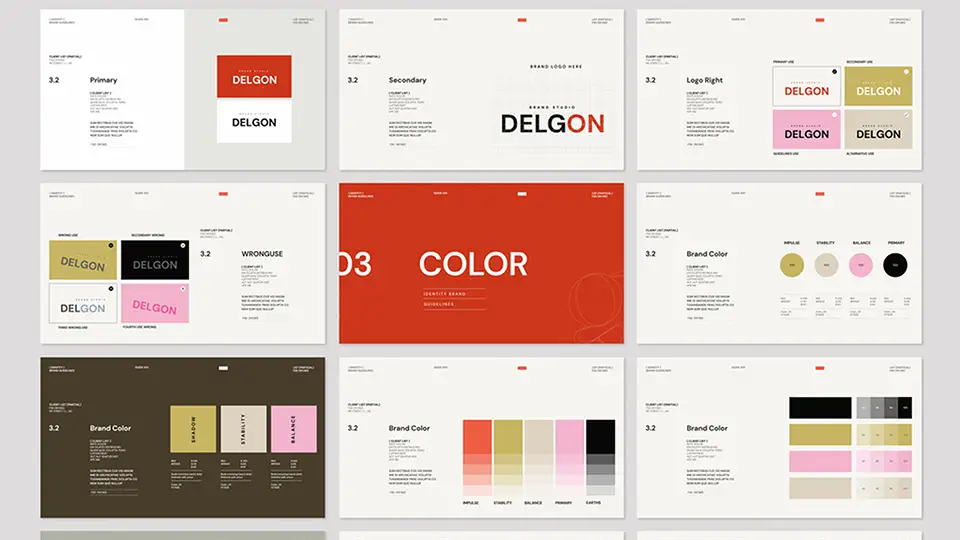
In an increasingly digital-first world, maintaining brand consistency is critical—not just for recognition, but for trust and credibility. Whether you're a small business scaling up or a larger team managing multiple channels, cohesive branding ensures every piece of content reflects your identity and values.
The Value of a Unified Brand Identity
As teams grow, so does the complexity of content creation. Without a unified approach, brand assets can quickly become fragmented, leading to mixed messages and diluted impact. Brand consistency helps eliminate this friction. It reinforces who you are across all touchpoints—web, social media, email, print, presentations, and beyond—making your brand instantly recognizable and easier to trust.
Consistent branding builds a strong, reliable image in the eyes of customers and partners. It creates a seamless experience and reinforces familiarity—key ingredients in building brand loyalty.
Meeting the Demands of Digital-First Campaigns
Digital campaigns move fast and reach wide. In this environment, even a small inconsistency can stand out and affect how your brand is perceived. Adobe Express helps teams stay aligned with branded templates, shared libraries, and style guides that make it easy to apply the same look and feel across every asset. This not only saves time but ensures that your messaging stays on-brand, no matter who’s creating it.
Empowering Teams with the Right Tools
Cohesive branding isn’t just a design challenge—it’s a collaboration challenge. Adobe Express supports brand consistency by giving teams access to approved logos, fonts, and color schemes right within their creative workspace. As a result, content stays polished and professional, whether it’s made by a seasoned designer or a marketing intern.
Brand consistency is no longer optional; it’s a necessity in a competitive, digital-first landscape. With tools like Adobe Express, keeping your brand cohesive becomes a scalable, team-friendly process that reduces inefficiencies and strengthens brand value.
Discover Adobe's suite of products.
The Challenge: Scaling Design Without Compromising Identity
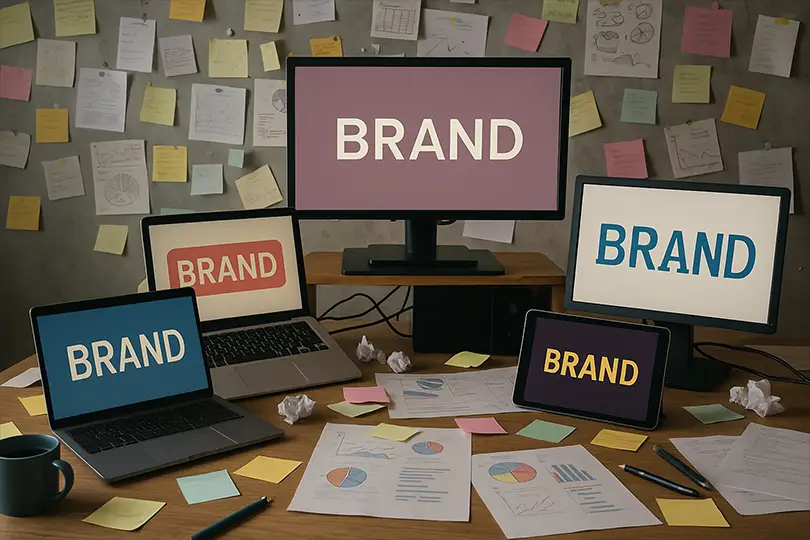
As organizations expand, maintaining visual consistency across design outputs becomes increasingly complex. More team members, more platforms, and faster content cycles can all introduce gaps in brand alignment—making it harder to preserve a clear and cohesive identity.
Inconsistent Visuals Across Teams
One of the most common challenges is variation in how brand assets are used across departments. Without a centralized system, teams may apply outdated logos, mismatched colors, or inconsistent typography, especially when under tight deadlines. This fragmentation erodes brand trust and creates a disjointed customer experience.
Managing Multiple Channels
Today’s content is spread across a growing number of platforms—from social media and email to video and digital ads. Each channel has its own formatting needs and audience expectations, which can pressure teams to adapt designs on the fly. Without clear brand guidelines and accessible templates, these quick adaptations often lead to visual inconsistencies.
Balancing Speed and Control
The demand for rapid content creation can conflict with the need for brand control. As marketers and non-designers produce more content independently, the risk of off-brand visuals increases. Teams often face a trade-off between empowering staff to move quickly and ensuring every asset aligns with the brand’s core identity.
Discover Adobe's suite of products.
How Adobe Express Helps
Adobe Express addresses these challenges by offering brand kits, reusable templates, and collaborative tools that help maintain brand integrity—regardless of team size or platform. With shared access to brand-approved elements, teams can scale content creation without compromising on consistency or quality.
As brands grow, the key to scaling design lies in standardizing the creative process—making it easy for everyone to stay on-brand while moving fast.
Enter Template Locking in Adobe Express
To solve the challenge of maintaining brand consistency at scale, Adobe Express offers a powerful feature: Template Locking. Designed with teams in mind, this capability ensures that branded content stays on-message and on-brand—no matter who’s creating it.
What Is Template Locking?
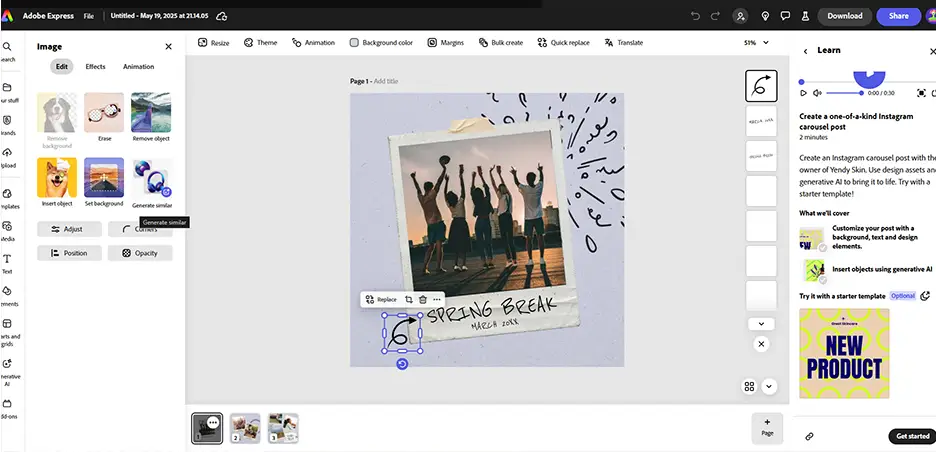
Template Locking allows creators to restrict edits to specific elements within a design—such as logos, colors, fonts, or layout structures—while leaving other sections customizable. This means that non-designers can confidently personalize content, like adding headlines or changing photos, without accidentally altering core brand elements.
Why It Matters for Teams
For growing teams, especially those with members producing content across departments or regions, Template Locking creates a safeguard against unintentional brand drift. It ensures that every output maintains visual integrity, even when created by someone without formal design training.
Streamlining Collaboration and Control
With Template Locking, brand managers and designers can establish a consistent creative foundation, while still giving teams the flexibility to adapt content for different audiences and platforms. This balance between control and creativity reduces bottlenecks, speeds up approvals, and supports scalable content production—all while keeping the brand intact.
Discover Adobe's suite of products.
Lock What Matters: Logos, Fonts, Backgrounds, and More
In Adobe Express, Template Locking offers granular control over design elements, allowing teams to safeguard the most critical parts of their brand identity. By locking specific components within a template, organizations can ensure design fidelity while enabling flexibility where it’s needed.
Key Elements You Can Lock
Logos
Central to brand recognition, logos can be locked in position and scale to prevent distortion, misuse, or accidental deletion. This ensures that your brand mark always appears consistently.Fonts and Text Styles
Maintain typographic consistency by locking in approved fonts, sizes, and styles. This keeps headlines, body text, and CTAs aligned with brand standards.Colors and Color Schemes
Preserve your brand’s visual tone by locking background colors, text colors, and other key color elements. This prevents unauthorized hues that dilute your identity.Background Images and Layouts
Locking background images and layouts ensures balanced compositions and visual hierarchy, helping guide the viewer’s eye and maintain a professional look.Placement and Sizing of Elements
Lock spatial positioning and scaling to support alignment, proportion, and a polished presentation across all content.
By selectively locking these elements, Adobe Express enables teams to collaborate efficiently while upholding a high standard of brand consistency.
Discover Adobe's suite of products.
Empower Teams, Not Just Designers
Template Locking is not just about protection—it’s about enabling contribution. It gives marketers, sales reps, and other non-designers the confidence to create content without breaking brand rules.
Confidence Without Compromise
Non-designers can open a template, focus on content updates—like text and images—and be assured they’re not tampering with key brand visuals. This reduces friction, fosters independence, and upholds standards.
Reducing Bottlenecks in Content Creation
When templates are ready-to-use and locked properly, teams can produce content without having to rely on designers for every update. This is critical for companies managing multiple campaigns, regional rollouts, or product variations.
Scalable Brand Stewardship
With Template Locking, design teams act as brand stewards—setting up systems and guardrails—while enabling others to create confidently. This scalability is key in fast-moving environments where brand dilution is a real risk.
Discover Adobe's suite of products.
From Centralized Control to Decentralized Creation
Adobe Express allows creative leads to define visual standards that scale across regions and departments—without losing oversight.
Maintain Oversight with Governance Tools
Tools like Brand Kits and locked templates provide the structure needed to ensure every asset reflects the brand correctly. Even as more people produce content, the design integrity remains intact.
Enable Flexibility Across Roles and Regions
With flexible frameworks, different teams can create content for their unique needs—localized campaigns, event-specific promotions, or department updates—without needing design intervention.
Streamline Workflows and Reduce Revisions
Locked templates drastically reduce the need for constant design reviews. This improves speed, lowers cost, and frees up the design team to focus on strategic creative work.
Discover Adobe's suite of products.

Real-World Use Cases: Branding Made Easy
Marketing: Consistent Campaign Execution
Use locked templates for product launches, seasonal sales, or social campaigns. This ensures brand alignment while enabling marketers to tailor messaging.
Social Media: Always On-Brand
Maintain a visual identity across platforms—LinkedIn, Instagram, YouTube—by locking essential design components and letting social managers customize messages or visuals as needed.
Sales: Personalized, Professional Materials
Sales teams can update proposal decks, brochures, or client emails using locked templates—without compromising layout, branding, or design hierarchy.
HR and Internal Teams: Consistent Communications
Ensure internal newsletters, employee spotlights, and presentations reflect your external branding—promoting a unified culture and professional tone.
Discover Adobe's suite of products.
Get Started with Template Locking in Adobe Express
Implementing Template Locking is straightforward and impactful:
Create or Choose a Template
Design a template that includes logos, color palettes, and typography in Adobe Express.Apply Locking Features
Use the interface to restrict edits to brand-critical elements.Share with Teams
Distribute through Adobe Express’s brand workspace for broad access and easy version control.Incorporate into Daily Use
Use templates across content calendars, campaigns, and communications. Adjust or expand as new needs arise.
Conclusion: Consistency Without Complexity
Template Locking in Adobe Express empowers organizations to deliver consistent, branded content—at scale. It bridges the gap between control and creativity, enabling faster workflows, confident collaboration, and a stronger brand presence.
Get started today and turn brand consistency into a shared standard—across teams, platforms, and every piece of content you create.